
We recommend that your weekly or thematic course content is separated from the general or unit-wide content. Our framework allows for this by making use of the ‘section break’ feature in a section’s settings. These general sections can vary course to course but our research found that students find it useful to have these separate.
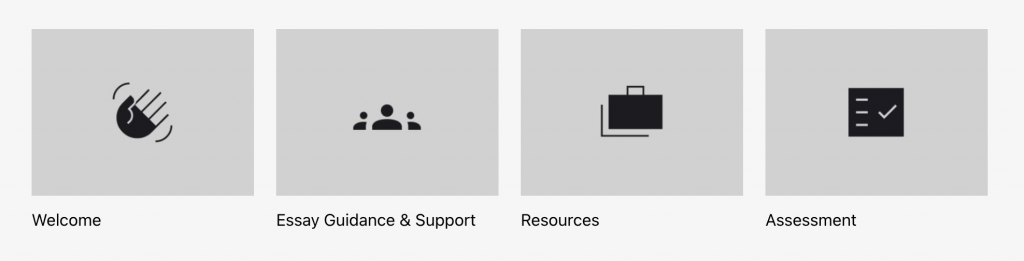
Welcome/Introduction Section
This section serves as the first point of contact between students and the learning content for this unit. It sets the tone for the unit, outlines learning objectives, and provides context to help students connect their studies with real-world issues or professional practices. A well-crafted introduction provides clarity and sets clear expectations, making students feel engaged, confident, and prepared to succeed. It’s essential to highlight what students will learn, how they will engage with the content, and the broader relevance of the unit to both their academic journey and future careers.
Key Details to Include
- Clear Welcome Statement – Start with a friendly, concise introduction to the unit, setting a positive tone.
- Unit Focus & Learning Outcomes – Describe the main subject, key skills, and knowledge students will gain.
- Relevance to Broader Context – Connect the unit to real-world issues or current trends in the field.
- Student Engagement – Explain what students will be doing (e.g., independent research, collaboration, practical tasks).
- Learning Methods – Mention the teaching style, whether through lectures, workshops, or hands-on activities.
- Independent Learning Opportunities – Highlight any flexibility for students to explore their own research interests.
- Professional Development – If applicable, relate the unit to career readiness or industry practices.
- Assessment Overview – Briefly mention how students will be assessed (e.g., projects, presentations, papers).
Example
The following example is referenced from the unit FU010069YCDF24/25 – 24/25 Introduction to Fashion Communication.
In this unit, you will learn how Fashion Communication can tell dynamic and important stories of our time and develop foundational practical, theoretical and technical knowledge relevant to your discipline.
You will investigate the current cultural landscape with current examples of fashion communication that are informed by the elements that continuously shape the fashion industry: data, networks, and interfaces, all of which embed principles of social, racial, and ecological justice.
The unit will introduce you to effective learning and studentship at undergraduate level. It will orientate you within your course and to the primary skills needed for independent and collaborative learning, including how to research, analyse and evaluate your discipline and how to present, reflect and critique your work with others.
Assessment Section
Assessment is a vital part of every unit and deserves its own section to help students clearly understand how their work will be evaluated. It supports transparency and helps students stay on track with expectations, deadlines, and submission formats.
This typically includes written work, presentations, or creative outputs, with clear marking criteria provided. Having this information in one place ensures students are well-prepared and confident in meeting unit outcomes.
For thorough details on how to create an Assessment section in a unit, please refer to the Assessment guide in the 24/25 How to Moodle User Guide.
Unit Objectives
Unit Objectives define what students are expected to achieve by the end of the unit. These should be specific, measurable, and aligned with the unit’s content. Well-defined objectives give students clear direction, help them track their progress, and ensure they understand what skills or knowledge they will gain.
It’s also useful to retrieve relevant information from assessment PDFs or materials provided during student inductions (e.g., in Welcome Week). These documents often contain detailed guidance on learning outcomes, which can be directly aligned with your Moodle page. This ensures consistency across all course communications, supporting a seamless learning experience.
Example
The following example is referenced from the unit IU000271YA24/25 – 24/25 Critical 4: Global Perspectives in Computer Science.
On completion of this unit, you will be able to:
- LO1: Practice sociotechnical optimism in your work along with humility, vulnerability, and a sense of curiosity (Process)
- LO2: Evaluate the efficacy of historical, current and future international computing trends considering inequalities and diverse, complex practices, concepts and theories (Enquiry)
- LO3: Examine critical debates from around the world surrounding technology ethics, regulation and governance (Knowledge)
- LO4: Use multimedia tools to present your informed vision of computer science futures for a broad audience (Realisation)
Meet the Team
A Meet the Team section helps students connect with the people behind their course, making the learning experience feel more welcoming and supportive – especially for those new to university or studying remotely. Including short bios from Lecturers, Course Leaders, Technicians, or Administrators can help students understand staff roles, areas of expertise, and who to contact for support. While staff bios are not necessarily mandatory and there’s no pressure to include them, they can positively impact student experience by building trust, encouraging communication, and creating a stronger sense of belonging. Bios can be shared directly with the administrative team for inclusion.
Example Template

Alex Morgan
Senior Lecturer
Alex Morgan is a Senior Lecturer in Visual Communication with a background in graphic design, critical theory, and visual culture. He has taught at institutions across the UK and Europe, with a teaching practice that focuses on supporting students in developing research-led visual narratives. Alex’s work explores the relationship between design and social change, and he is particularly interested in how creative practice can be used as a tool for critical inquiry. His recent publication, Design as Disruption: Visual Strategies for Social Change (2023), was published by Thames & Foyle Press, a UK-based independent publisher focusing on contemporary design and cultural studies. He welcomes students to reach out for support, discussion, or collaboration.
Email: a.morgan@arts.ac.uk
Unit-Wide Resources Section
The Unit-Wide Resources section offers a structured space where all students can access key support materials across the duration of the unit. It brings consistency, helps students stay organised, and supports inclusive learning by ensuring all essential and additional tools are clearly available.
- Keep it concise for students by using clear heading and minimal jargon.
- Use bullet points or short descriptions for accessibility.
- Label resources by theme or activity (e.g. “For Research”, “For Practical Work”, “For Inspiration”).
- Ensure accessibility by linking to library versions or PDF versions wherever possible.
- Please continuously update this section regularly if materials or links change.
1. Essential Reading
Purpose: Lists core academic texts students are expected to engage with. These support the unit’s key theories, frameworks, or case studies.
What to Include:
- Full reference of each source (books, chapters, articles, manifestos, reports).
- Direct links if available (e.g. Moodle PDFs, DOI links, online articles) while labelling clearly and keeping consistent formatting.
Example:
- Meadows, D.H. (2008) Thinking in systems: A primer. White River Junction, VT: Chelsea Green. [Available via Library/Moodle PDF/DOI]
2. Further Reading
Purpose: Encourages deeper engagement and exploration beyond the core materials.
What to Include:
- Suggested books, chapters, and articles that expand on topics.
- Relevant industry insights, historical perspectives, or emerging debates.
- Can include timely and accessible content (e.g. articles, editorials, interviews, podcasts).
Example:
- Mueller, M.E., Rajaram, D. (2023) Social Media Storytelling. London: Routledge.
3. Technical & Industry Resources
Purpose: Supports practical and applied learning.
What to Include:
- Workshops (e.g. photography, editing, audio recording).
- Software tutorials (e.g. Adobe Premiere, Canva).
- Case studies or toolkits from relevant organisations (e.g. Ellen MacArthur Foundation).
Example:
- Ellen MacArthur Foundation – Overview of circular economy in fashion:
https://www.ellenmacarthurfoundation.org/topics/fashion/overview
4. Academic Support
Purpose: Ensures students are aware of institutional help available for developing academic and study skills.
What to Include:
- Description of services offered (e.g. 1:1 tutorials, writing and referencing help).
- Booking links and contacts.
- Schedule or links to academic events (e.g. study skills workshops).
Example:
College Academic Support can help you with:
- Making sense of assignments and ‘academic’ language
- Developing independent learning
- Time and project management
- Research, reading, editing and analysis
- Critical thinking and arguments
- Planning and structuring work (proposals, reports, essays, dissertations)
- Referencing, citation, crediting and bibliographies
You can book a tutorial at any point during your studies:
5. Further Resources (Optional)
Purpose: Provides extra tools and inspiration for independent learning.
What to Include:
- Blogs, infographics, or explainers (e.g. Systems Thinking on Medium).
- Online project spaces, forums, or activist toolkits.
- Multimedia resources like podcasts, films, or interviews.
Example:
- Doug Belshaw on Medium – Introduction to Systems Thinking
https://blog.weareopen.coop/an-introduction-to-systems-thinking-51d6e4f9df0b
6. Library Resources (Optional)
Purpose: Signpost students to relevant library support and subject-specific resources available at UAL.
What to Include:
1. Welcome Message:
Explain that UAL students have access to all UAL libraries, including study spaces, computers, printing/photocopying services, and loanable laptops.
2. Course Librarian Details:
Where applicable, provide the name and contact information of the designated librarian and outline how the librarian can support students, including:
- 1:1 Support for research and sourcing
- Group support and in-course workshops
- Buying suggestions for books/resources relevant to your course
3. Useful Links:
4. (Optional) Video Content:
If available, include introductory or subject-specific video recordings from the course librarian. Example video topics might include the following
- Subject librarian greeting
- Information essentials
- How to use the Library Search and Subject Guides
- Course or unit-specific databases
- Final tips and assistive technology recommendations
Example:
Welcome
As a UAL student, you have full access to all UAL libraries. These spaces offer open-access and bookable study areas, computers, photocopying, printing facilities, and loanable laptops to support your academic work and creativity.
Your Course Librarian
Your dedicated course librarian can support you throughout your studies by helping you:
- Discover inspiring, relevant, and reliable information sources.
- Build your research skills.
- Recommend useful books and resources for your course.
- Access individual or group support sessions.
- Take part in library-led workshops embedded in your unit.
Useful Links
Video Resources
You can watch a series of short videos from your course librarian introducing the library and key fashion communication resources available to you. These are a great place to start if you’re new to academic research or need a refresher.
The videos include:
- Video 1 – Subject Librarian Greeting
- Video 2 – Information Essentials
- Video 3 – Using the Library Search and Your Library Guide
- Video 4 – Access and Utilise Your Course Specific Database
- Video 5 – Final Recommendations and Assistive Software
You are encouraged to explore these resources early in the term to make the most of the support available.