
Open Outlook
Open Outlook in a web browser
Make sure you’re logged in to your student email account. To do this you can use a different browser if you’re already logged in to your staff account.
Set up a new rule
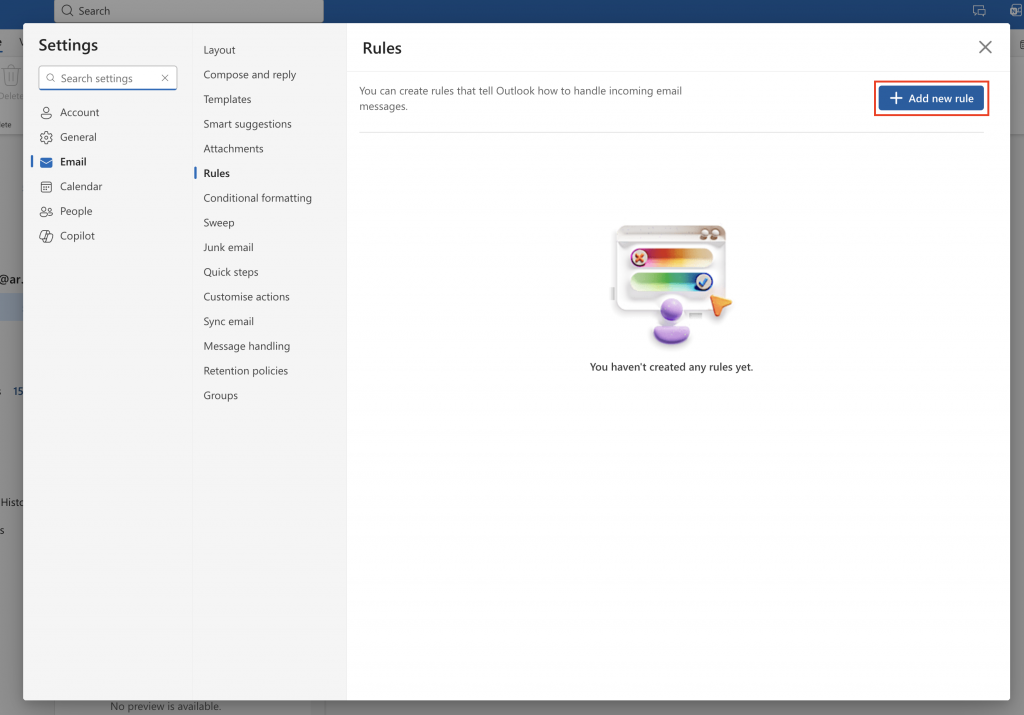
Click Rules, then Manage Rules in the Outlook menu bar

Click Add a new rule
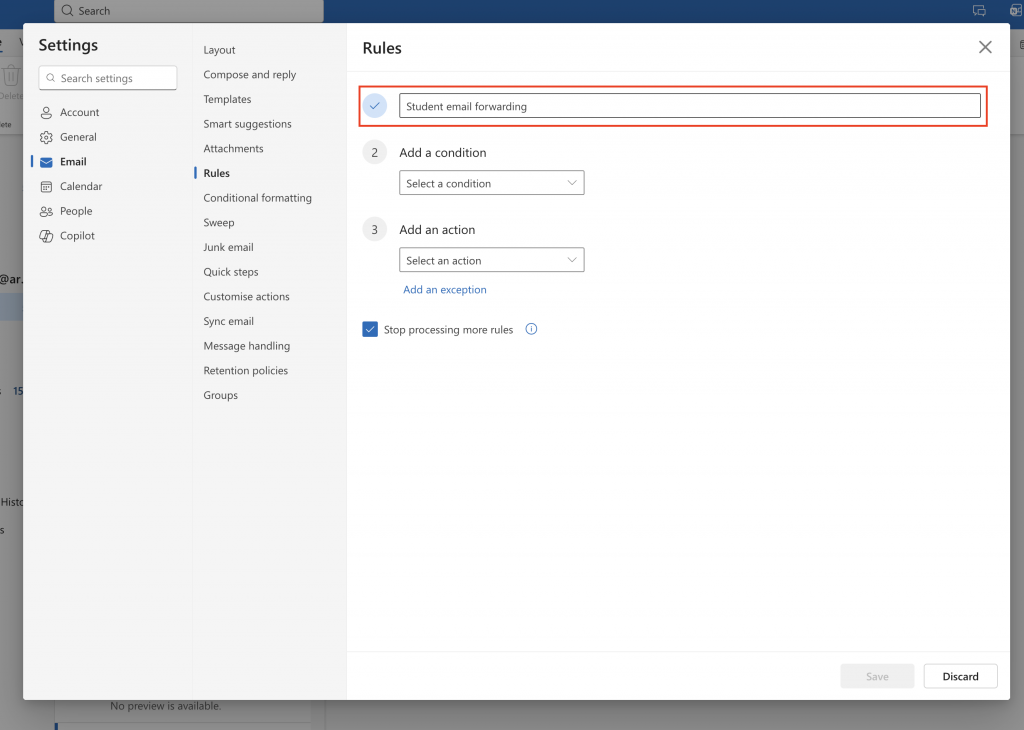
Enter a name for you rule in the Name field
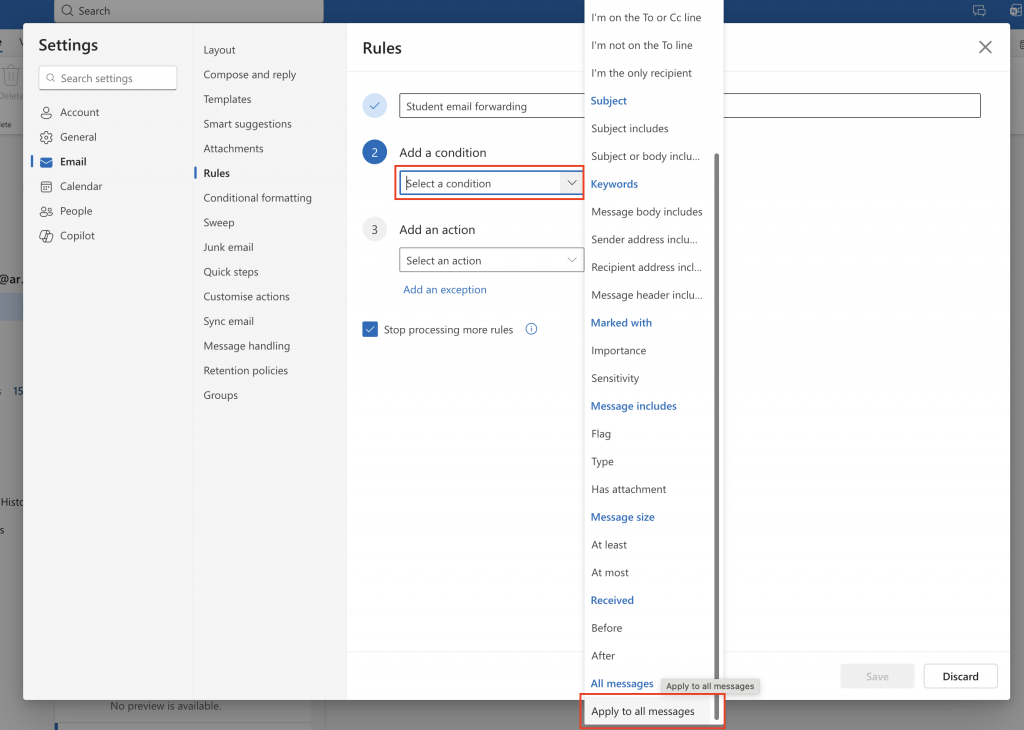
Click Select a condition, then select Apply to all messages
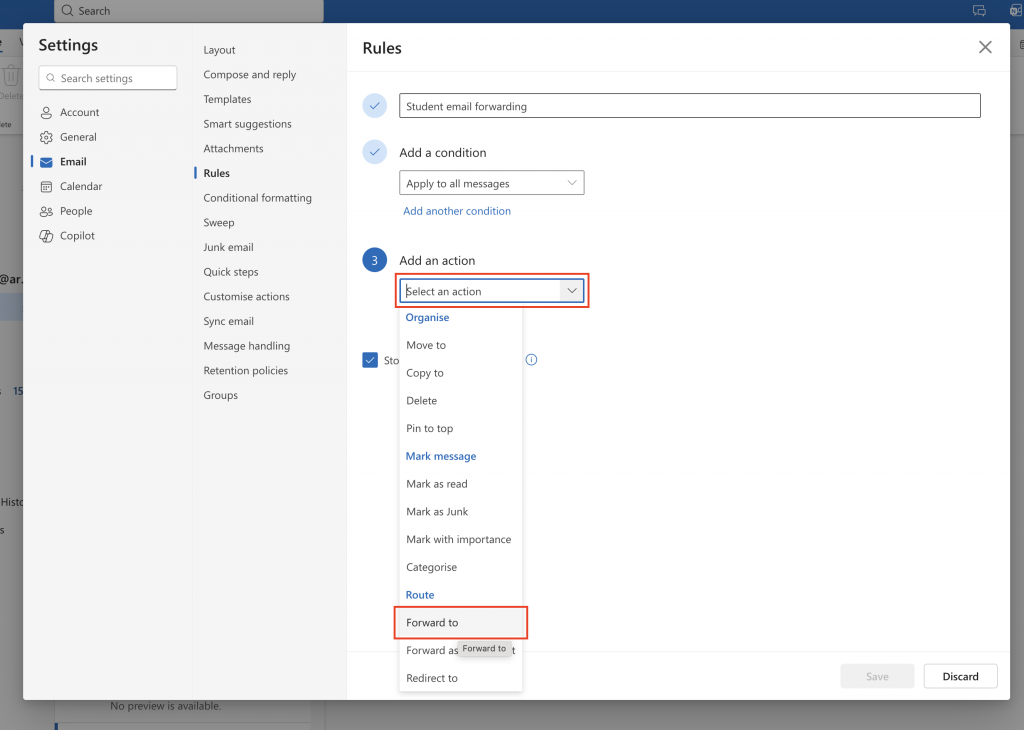
Click Select an action, then select Forward to
Enter your staff email address in the action field
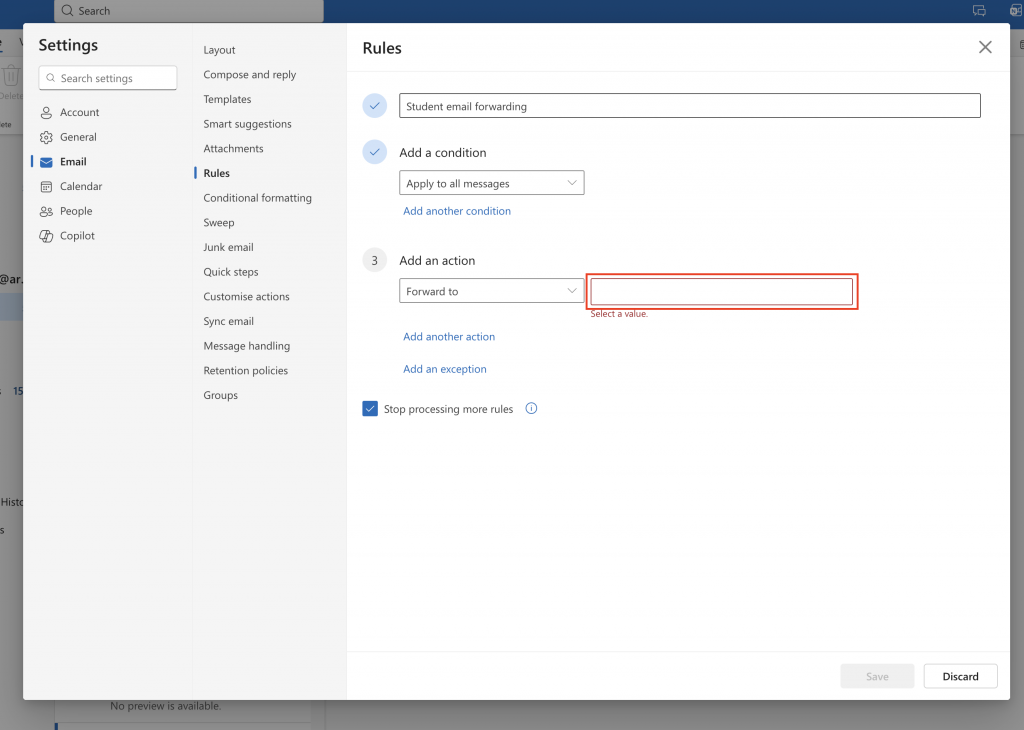
Click Save to finish adding your rule